NVIDIA A16 for VDI, remote graphics and light AI inference
NVIDIA A16 GPU infrastructure in configurations from 1 to 16 GPUs, suited to virtual desktops, remote graphics, streaming, light inference and cost-optimized GPU workloads.
Dedicated A16 GPU for virtual desktops and remote graphics
The NVIDIA A16 suits workloads that need a dedicated GPU with good cost efficiency, high user density and consistent performance for VDI or remote graphics.
NVIDIA A16 GPU
The NVIDIA A16 suits virtual workstations, VDI, streaming, remote graphics and light GPU workloads.
16 GB VRAM/GPU
Each GPU has 16 GB of VRAM, suited to graphics applications, virtual desktops and mid-scale image processing.
Scales to 16 GPUs
Choose configurations from 1 to 16 GPUs to scale with session count or workload.
Dedicated GPU
Dedicated GPU resources keep workloads consistent and make performance and running costs easier to control.
Choose an A16 configuration by VDI, graphics and inference scale
| Service plans | Price/month | GPU | Core | RAM | VRAM | P2P | Actions |
|---|---|---|---|---|---|---|---|
| A16 | 9,914,400 VND/month | 1 GPU | 6 Core | 64 GB RAM | 16 GB VRAM | P2P: No | Sign up |
| A16 x2 | 19,828,800 VND/month | 2 GPU | 12 Core | 128 GB RAM | 32 GB VRAM | P2P: No | Sign up |
| A16 x4 | 39,852,000 VND/month | 4 GPU | 24 Core | 256 GB RAM | 64 GB VRAM | P2P: No | Sign up |
| A16 x8 | 79,509,600 VND/month | 8 GPU | 48 Core | 496 GB RAM | 128 GB VRAM | P2P: No | Sign up |
| A16 x16 | 178,653,600 VND/month | 16 GPU | 96 Core | 960 GB RAM | 256 GB VRAM | P2P: No | Sign up |
| Service plans | GPU | Core | RAM | VRAM | P2P | Disk | Type | Notes | Price/month | Actions |
|---|---|---|---|---|---|---|---|---|---|---|
| A16 | 1 GPU | 6 Core | 64 GB RAM | 16 GB VRAM | P2P: No | 350 GB Up to | Dedicated | NVIDIA A16 Dedicated GPU | 9,914,400 VND/month | Sign up |

| A16 x2 | 2 GPU | 12 Core | 128 GB RAM | 32 GB VRAM | P2P: No | 700 GB Up to | Dedicated | NVIDIA A16 Dedicated GPU | 19,828,800 VND/month | Sign up |
| A16 x4 | 4 GPU | 24 Core | 256 GB RAM | 64 GB VRAM | P2P: No | 1500 GB Up to | Dedicated | NVIDIA A16 Dedicated GPU | 39,852,000 VND/month | Sign up |

| A16 x8 | 8 GPU | 48 Core | 496 GB RAM | 128 GB VRAM | P2P: No | 1500 GB Up to | Dedicated | NVIDIA A16 Dedicated GPU | 79,509,600 VND/month | Sign up |

| A16 x16 | 16 GPU | 96 Core | 960 GB RAM | 256 GB VRAM | P2P: No | 1500 GB Up to | Dedicated | NVIDIA A16 Dedicated GPU | 178,653,600 VND/month | Sign up |

Applies to all plans
- NVIDIA A16
- Dedicated
Optimized for VDI, graphics and light inference
The NVIDIA A16 offers flexible dedicated GPU configurations for workloads that scale across multiple GPUs while controlling cost.
Optimized for VDI and virtual desktops
The A16 suits virtual desktop environments, remote graphics applications and multi-user workloads.
Cost-effective
A balanced choice where you need a dedicated GPU but not a large amount of VRAM per GPU.

A range of configurations
Choose 1, 2, 4, 8 or 16 GPUs to scale with your deployment.
Suitable for streaming graphics
Supports graphics applications, light rendering, encoding and remote content streaming.
Flexible billing cycles
Billing cycles from 1 month to 60 months.
Deployment support
HiTechCloud advises on drivers, CUDA, the virtual desktop environment and the right configuration for your workload.
Deployment scenarios suited to the NVIDIA A16
Deploy virtual desktops, remote graphics applications and dedicated GPU work environments.

Suited to graphics streaming, image processing, media workflows and light rendering.
Run inference, small-scale computer vision, OCR and AI pipelines that need a cost-effective GPU.
High-performance GPU instances for a wide range of workloads
Powerful capacity, optimized to accelerate AI/ML and high-performance workloads at any scale.
A broad range of infrastructure options
Training, inference, or fine-tuning - HiTechCloud offers a range of GPUs to match your needs, with transparent pricing and on-demand deployment environments.
Built to NVIDIA reference architecture
HiTechCloud GPU instances combine NVLink/PCIe, InfiniBand (RDMA), and RAIL topology to optimize AI/HPC performance.

Three core connectivity layers for high-performance GPU clusters

A network and GPU fabric designed so AI workloads scale reliably, easing bandwidth bottlenecks and holding performance at scale.

NVLink / PCIe Switch
High-speed GPU-to-GPU connectivity within and between nodes, reducing bottlenecks during model training.

InfiniBand (RDMA)
Low-latency connectivity optimized for distributed training and reduced processing load on the host.
RAIL Topology
A parallel network architecture delivering higher bandwidth, redundancy, and consistent performance at any scale.
GPU auto scaling and utilization optimization

From a single GPU to large clusters, HiTechCloud provisions resources ahead of demand and gets the most out of every instance.
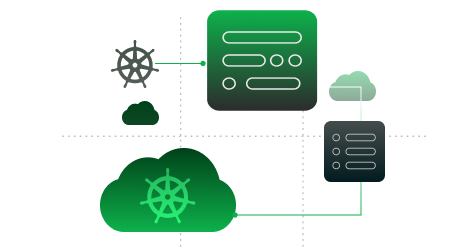
Auto scaling with Kubernetes
Automatically scale GPU resources from small scale to thousands of GPUs, with forecasting and Provisioning capability before you need it.
Security for every access connection
Access over SSH, TCP, and HTTP with built-in protection layers that keep enterprise data safe and access fully controlled.
Optimize GPU utilization with MIG
Partition a single GPU into multiple independent instances to run AI workloads in parallel, improving utilization and lowering infrastructure cost.
Transparent pricing, no hidden fees
From large-scale Training to real-time inference — pay only when you actually run, with a GPU Cloud platform built to serve every AI workload and high performance requirement.
Ready to run your first GPU instance?
From register to GPU instance launch in under 5 minutes — no complex setup, no resource reservation, no idle fees. Just deploy, run, and pay for what you use.
More than just Compute, you can manage, scale and develop entirely within a simple cloud ecosystem.
AgentBase
A complete management platform for deploying and operating AI agents securely at scale on enterprise-grade infrastructure.
Explore AgentBaseAI Platform
A unified platform for training, fine-tuning, and deploying AI models at any scale.
Explore AI PlatformVector Database
Supports fast search, real-time analytics, log and large-scale event data, and vector databases for RAG.
Explore Vector DatabaseKubernetes
Managed Kubernetes for container orchestration, AI services, and GPU cloud workloads.

Explore KubernetesScale with confidence across Southeast Asia
Deploy systems and applications closer to your users, reducing latency and meeting local regulatory requirements.
Bangkok
BKK-01
Ho Chi Minh
HCM-01 · HCM-02 · HCM-03
Ha Noi
HAN-01 · HAN-02
A partner for your digital transformation journey
Large enterprises and fast-growing startups choose HiTechCloud for secure, high-performance AI cloud solutions that let them innovate and scale.
Does your enterprise have a specific challenge? HiTechCloud is ready to support.
The HiTechCloud team advises on GPU architecture, networking, security, and an operating model matched to your real workloads.

FAQ
Quick facts before choosing an NVIDIA A16 configuration at HiTechCloud.
Which workloads is the NVIDIA A16 suited for?
Suited to VDI, virtual desktops, remote graphics, graphics streaming, light inference and cost-efficient GPU workloads.

When should you choose A16 x8 or x16?
Choose a multi-GPU configuration when you need more concurrent sessions, parallel workloads or greater total VRAM.
Is the A16 suitable for virtual desktop deployments?
Yes. The A16 is optimized for VDI, remote workstations, remote graphics and multi-user environments that need a consistent GPU.
Can the A16 be used for AI inference?
It can be used for light inference, small-model experimentation or general-purpose GPU workloads that do not require large VRAM.

Does HiTechCloud help configure VDI environments?
Yes. HiTechCloud advises on CPU, RAM, storage, drivers and an operating approach matched to your session count.
What billing cycles are available?
Plans are available on 1-month, 3-month, 6-month, 12-month, and long-term cycles.
Need consultation on NVIDIA A16 configuration for your workload?
HiTechCloud helps you select the GPU count, cores, RAM, storage, driver, VDI environment and framework for your deployment.